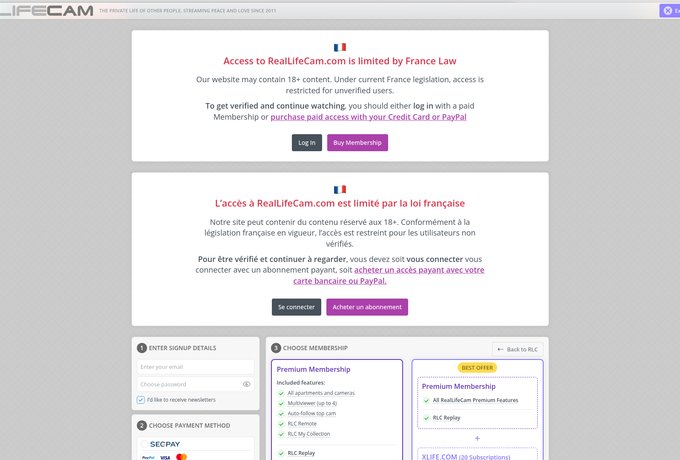
What is RealLifeCam?
The first time I pulled up RealLifeCam on my laptop here in California, the whole setup hit me right away as something different from the usual adult sites. You get live feeds from actual apartments where regular people go about their days without any fake scripts or performances. I spent a solid hour just checking the free previews, and it felt like peeking into someone else's window without any risk. The real draw for me was how genuine everything looked, from couples cooking dinner to roommates arguing over the remote or girls lounging around in casual clothes. Honestly, it stands out because most sites push overacted scenes, while this delivers raw voyeur cam moments that pop up when you least expect them. Free access stays pretty restricted though, with only a few minutes per stream before it cuts off.
The real life cam setup with multiple angles
After logging in for several test sessions over the past few months, I saw how the site focuses on total immersion through constant coverage. They run around 25 apartments at any time, packed with over 300 cameras that cover every room from kitchen to bathroom to bedroom. The interactive apartment map lets you click any room and jump straight to that feed in seconds. Categories break things down nicely by couples living together, groups of roommates, or solo vacation spots. One apartment stood out during my tests where a woman was getting ready without realizing the cameras were rolling, and that kind of unscripted feel kept me hooked for longer than planned. Everything runs nonstop around the clock with no set schedules like you see on interactive live cams.
How it differs from typical live cam sites
What stood out immediately was the complete lack of any viewer interaction like chat or tipping options. You watch as a silent observer without any way to influence what happens on screen. I compared this setup to other platforms I have tried before, and RealLifeCam delivers more realism at the cost of instant excitement. Daily routines can drag with things like laundry or watching TV, but when something intimate happens it feels intense and worth the wait. Those rare nudity or sex moments become addictive for anyone into passive voyeurism, making it better for long-term following rather than quick sessions. My take after multiple visits is that it suits people who enjoy tracking ongoing stories over time.
Main features on RealLifeCam
One evening after grabbing a test subscription I got to try all the tools, and a few of them really improved the experience for me. The multiview option showing up to four cameras at once helped me catch everything happening across different rooms without missing key moments. Motion detection sent alerts straight to my phone when activity started in a room, which saved time during slower periods. Replay access for the last day or up to ten days with VIP turned out handy when I needed to go back and watch something I skipped due to a brief lag. The mobile app worked smoothly for remote control, letting me switch feeds while sitting on my couch or even during a short drive. No intrusive ads appear anywhere, and the full screen mode looks clean on both desktop and phone.
Step by step guide to get the most out of it
Here is the routine I worked out after testing different setups to make sessions more enjoyable. Start by picking an apartment from the left sidebar and use the floor plan to select important camera angles right away. Turn on the four view mode to monitor multiple spots together and enable motion alerts so you do not miss anything. For replays just drag the timeline slider and speed through boring parts until something interesting shows up. I once spent three hours straight on one apartment and caught several surprising moments that way. The remote app feature means you stay connected even when moving around the house, which adds to the overall immersion compared to other options.
Exploring the full selection of apartments and cameras
The variety across the apartments impressed me during my time on the site, ranging from small studios to larger vacation style homes. Premium access unlocks everything including exclusive camera angles with almost no blind spots in most locations. One apartment I checked had twenty cameras total, giving solid coverage throughout the day. Nighttime feeds switch to black and white though, which lowers the quality a bit compared to daytime color. Vacation themed apartments stood out as my favorite because of the casual outfits and relaxed vibe. Overall stability holds up well most of the time even if occasional lags show up now and then.
RealLifeCam pricing and subscription options
After running through a few paid sessions I can say the costs add up quickly, ranging from twenty to forty five dollars monthly depending on the plan level. Longer commitments for three, six, or twelve months bring discounts, though the minimum six month start can feel like a big commitment at first. Free browsing exists but only shows short teasers before an IP block kicks in. I signed up for one month through a standard processor and gained full access without issues. Value for the money felt off though because full high definition was not consistent across all feeds. Discreet billing on credit cards helped with privacy, which matters when using mainstream payment methods.
Subscription comparison breakdown
Here is a quick look at the plans based on what I tested recently. The standard option runs twenty to thirty dollars monthly with basic camera access, twenty four hour replays, and two view multiview. Stepping up to VIP costs thirty five to forty five dollars but unlocks all three hundred plus cameras, ten day replays, four view mode, and remote app controls. VIP makes sense if you plan to use it heavily, while standard works fine for occasional checks. Watch out for renewal complaints since billing details can feel unclear at signup, so double check everything first.
RealLifeCam user reviews and ratings
Looking through various forums and review sites I noticed an average score sitting around two point seven out of five. Positive comments often mention the fresh unscripted concept that works well for following people over longer periods. Negative feedback focuses on frequent lags, poor customer support response times, and surprise renewals that catch users off guard. One review I read described paying full price only to hit blocked cameras, which matched some of my own frustrations during testing. Overall the mixed results show it can be addictive yet unreliable depending on the day. Recent user comments stress checking terms carefully before committing any money.
Breaking down the good and bad feedback
Strong points mentioned include the large number of cameras and the authentic voyeur feel that sets it apart. One user noted it works great for watching real daily life unfold naturally. On the downside video quality drops at night, lags happen often, and support takes too long to reply. I ran into a similar bug once that took nearly two days to clear up. This leads me to recommend reading the latest reviews before any payment to avoid surprises.
Pros and cons after my testing
After spending hours across multiple sessions here is the honest breakdown from my experience. The constant access and apartment variety create a strong sense of immersion that keeps things interesting. Replay tools and motion alerts add real convenience for catching missed action. On the negative side the pricing feels steep without guaranteed high quality, and nighttime feeds lose color. No live interaction options limit the excitement for some users. My final view is that dedicated fans of real life cam content will find it worthwhile while casual viewers might look elsewhere for better value.
Is RealLifeCam safe and legal to use?
Safety comes up often in discussions, and the site states all participants consent to filming according to their FAQ. Payments process through secure methods with discreet billing on statements, which helps protect privacy. Still, some users report unexpected renewal charges, so reviewing all terms before signing up stays important. No malware issues appeared during my visits, but using a VPN adds extra protection for browsing. Cancellation works through the payment portal, though support response times can drag. Overall risks stay low if you stay attentive to billing details and act quickly on any concerns.
Frequently Asked Questions About RealLifeCam
Is RealLifeCam free to use?
Free access stays very limited with only short teasers per feed before blocks kick in. A paid subscription starting around twenty dollars monthly unlocks full features. Most users need premium to enjoy the complete experience without interruptions.
Is RealLifeCam worth the money?
Value depends on how often you use it and whether consistent quality matters to you. The VIP plan offers better tools like longer replays but costs more upfront. Many American users compare it to streaming services and find the price high without steady high definition results.
Can I cancel my RealLifeCam subscription anytime?
Cancellation happens through the payment processor portal listed in your signup emails. Look for the cancel link and confirm before the next billing cycle. Support can assist but responses sometimes take longer than expected.
Is my credit card information secure on RealLifeCam?
Payments use established processors with discreet billing to protect privacy. No major security breaches have been reported recently. Still, a VPN helps add another layer when accessing from home networks.
Does RealLifeCam work well on mobile devices?
The mobile app allows remote camera switching and works smoothly on most phones. Interface stays clean without ads, making it easy to use on the go. Some users report occasional lag on older devices during peak hours.
How does RealLifeCam compare to other voyeur sites?
It stands out for constant twenty four seven coverage without schedules. Quality varies more than some expect, especially at night. Users focused on value often check multiple options before committing long term.